


Are you Hosting all your Images within the limited Webdisk Space? The world wide web is a giant place and most of the small scale blogs do not run on dedicated servers. They are powered by shared hosting providers like Hostgator or Godaddy.

The disk space offered in shared hosting may or may not be unlimited. If your site runs on a shared server, the servers will surely be affected by heavy load and bandwidth will become scarce. It is to be noted that images consume a lot of bandwidth. The magical work around to make your site faster and responsive is to host images remotely.
5 Reasons to Host Images Remotely
- Saves your disk space if you have any disk usage caps
- Saves your server’s bandwidth
- Makes your site to load faster
- The upload process is very simple
- Site becomes more responsive
Best Image Hosting/Sharing Websites
1. Imgur
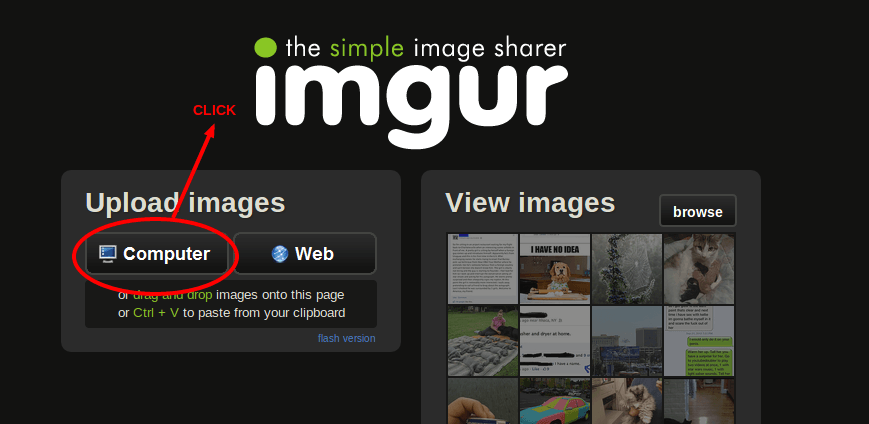
My favorite Image Hosting Website to upload your images from your PC (or) from other URL. You can sign in and create new albums. Its also a image sharing network, where your hosted images gain traffic through it. When you upload your images, you will be getting more options to share your image say., direct links, message boards, html code etc.
You can also delete your image but, who cares ?It also allows you to add title and description. Usually I add my website links in meta description to gain referral traffic from it. Imgur recently added a Meme Generator, to create your Meme’s. All you have to do is, choose a Template meme image and upload your image to replace it. Imgur also offer us mobile apps to simplify your job.


2. TinyPic
TinyPic is a popular photo and video sharing service powered by Photobucket. Here, you are completely unrestricted to host all your images uncountably. You can make a huge savings to your Webdisk Space by hosting your images and remotely in TinyPic and access embed through it.
While hosting your images you can resize in custom forms. Also, you can copy/paste any image URL’s on the clipboard to upload it. Well! you can also share your hosted images to your friends via all Social Networking sites.
3. Snag.gy
Snag.gy is my most lovable image hosting website for its great UI. just do copy the image source you find around internet and paste (ctrl+v) in the Clipboard. You can also upload images from your local computer. It’s also the same process, just copy your image and paste it, but for the first time you need to install Java Applet to run the process.
Note: If you are worrying about external image links, turn those links “nofollow”. Just add rel=”nofollow” tag next to your image link.
More Best Image Hosting Websites
Advantages of using Image Hosting Websites
- It allows us to host images from our computer or to host existing web images.
- In most of the websites, you can directly paste images via clipboard.
- It automatically generates the HTML code that needs to be placed to host images remotely.
Disadvantages if you Host Images Remotely
We have seen the importance of hosting images remotely and all the top places to host images remotely. Every coin has two sides. remote image hosting also has its drawbacks. So everyone should be aware of drawbacks too.
- The images you host are not under your control.
- If you host images remotely,you will not be able to delete the images.
- If the remote image host’s server is facing downtime , the images will not appear on your site.
- You can not claim copyrights over your images.
Now that you have come to know about the upsides and the downsides if this method it is up to you to decide whether to host images remotely or not.
There are in-numerous other remote image hosting and sharing services out there. Feel free to explore around. I have got the best image hosting websites for you. If you know others do drop your comments below.